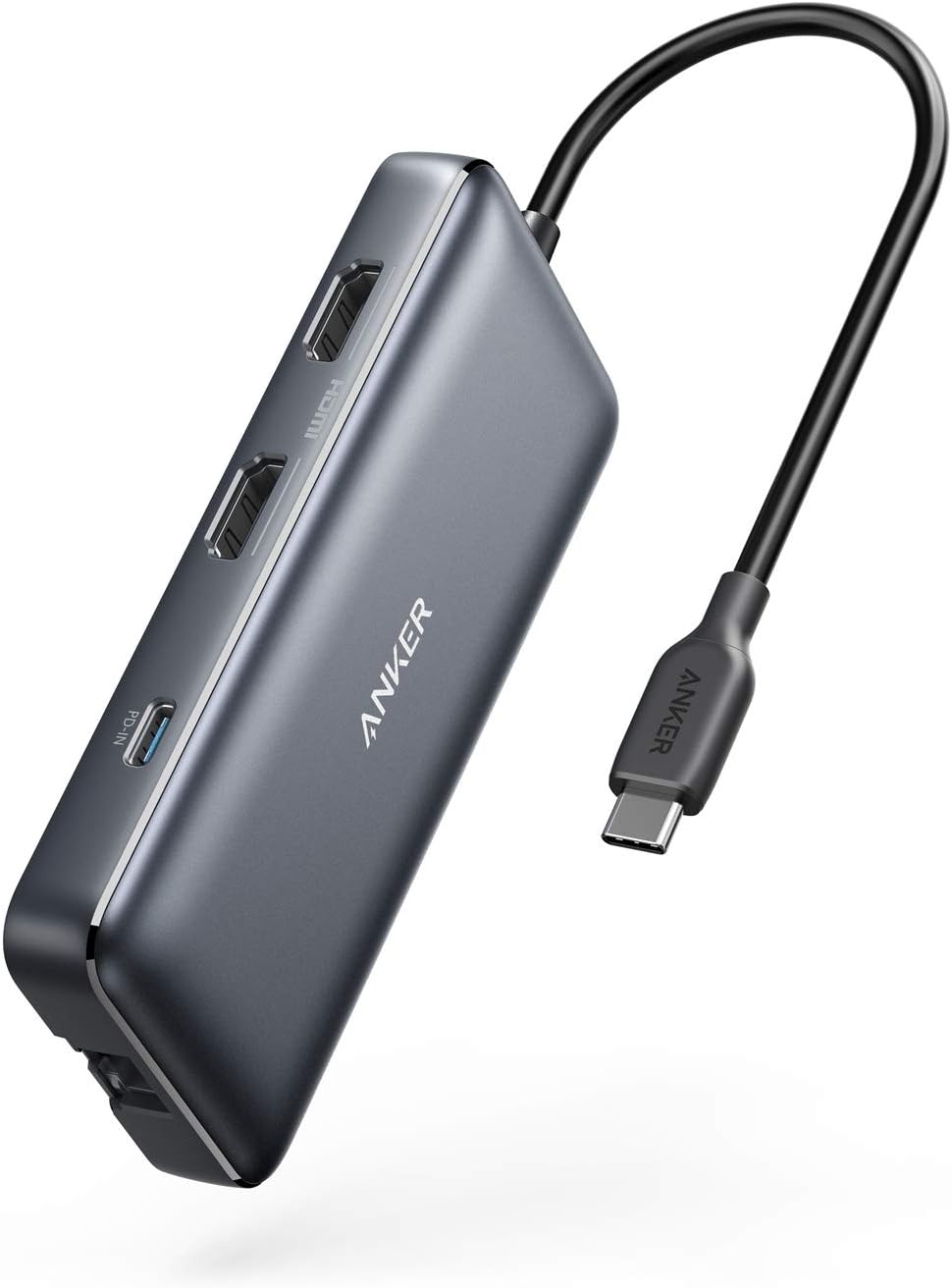
Anker Laptop Docking Station Dual Monitor, 8-in-1 USB C Hub, 4K Dual Monitor with 2 HDMI, 1 Gbps Ethernet Hub, 85W Power Delivery, SD Card Reader for MacBook Pro, XPS and More (Charger not Included)
Anker Laptop Docking Station Dual Monitor, 8-in-1 USB C Hub, 4K Dual Monitor with 2 HDMI, 1 Gbps Ethernet Hub, 85W Power Delivery, SD Card Reader for MacBook Pro, XPS and More (Charger not Included) thumbnail Anker Laptop Docking Station Dual Monitor, 8-in-1 USB C Hub, 4K Dual Monitor with 2 HDMI, 1 Gbps Ethernet Hub, 85W Power Delivery, SD Card Reader for MacBook Pro, XPS and More (Charger not Included) thumbnail Anker Laptop Docking Station Dual Monitor, 8-in-1 USB C Hub, 4K Dual Monitor with 2 HDMI, 1 Gbps Ethernet Hub, 85W Power Delivery, SD Card Reader for MacBook Pro, XPS and More (Charger not Included) thumbnail Anker Laptop Docking Station Dual Monitor, 8-in-1 USB C Hub, 4K Dual Monitor with 2 HDMI, 1 Gbps Ethernet Hub, 85W Power Delivery, SD Card Reader for MacBook Pro, XPS and More (Charger not Included) thumbnail Anker Laptop Docking Station Dual Monitor, 8-in-1 USB C Hub, 4K Dual Monitor with 2 HDMI, 1 Gbps Ethernet Hub, 85W Power Delivery, SD Card Reader for MacBook Pro, XPS and More (Charger not Included) thumbnail Anker Laptop Docking Station Dual Monitor, 8-in-1 USB C Hub, 4K Dual Monitor with 2 HDMI, 1 Gbps Ethernet Hub, 85W Power Delivery, SD Card Reader for MacBook Pro, XPS and More (Charger not Included) thumbnail
Anker Laptop Docking Station Dual Monitor, 8-in-1 USB C Hub, 4K Dual Monitor with 2 HDMI, 1 Gbps Ethernet Hub, 85W Power Delivery, SD Card Reader for MacBook Pro, XPS and More (Charger not Included)
$39.98

List Price: $53.99

Discount: -26%

Deal: Yes

Rating: 4.3 ★ (456 reviews)

Availability: In Stock

Brand: Anker

Category: Electronics Computers & Accessories Laptop Accessories Docking Stations

SKU: 553 USB-C Hub

Promotion Hot Sale New Arrival

Product description

Note: Multi-Stream Transport (MST) is not supported on Mac laptops.

Determining Your DisplayPort (DP) Version:

The version of DP on your laptop, computer, or tablet directly determines the actual resolution when connecting to external monitors using the Anker hub. There are three simple ways to find out which version of DP your device has.

1. Ask your device manufacturer or seller directly.

2. If you're using a Windows device, you can tell which version of DP you have by checking your CPU generation.

Don't know how to find your CPU generation? Simply go to

This PC

My Computer

> Properties

Processer: Intel(R) Core i7-

8

3. If you're using a MacBook, iMac, or iPad, you can find your DP version from the list below:

DP 1.4:

iPad Pro 11-inch, iPad Pro 12.9-inch (3rd generation and later), MacBook Pro (16-inch, 2019), MacBook Pro (15-inch, 2017 and later), MacBook Pro (13-inch, 4 Thunderbolt 3 ports, 2020), MacBook Air (2020), MacBook Air (13-inch, M1, 2020), MacBook Pro (13-inch, M1, 2020), MacBook Pro (14-inch, 2021), MacBook Pro (16-inch, 2021), iMac (Retina 5K, 27-inch, 2017 and later), iMac (Retina 4K, 21.5-inch, 2017 and later), and iMac Pro (2017 and later)

DP 1.2:

iPad Air (4th generation), MacBook Air (2018 and later), MacBook Pro (13-inch, 2016 and later), MacBook Pro (15-inch, 2016), iMac (non-Retina, 21.5‑inch, 2017), and Mac mini (2018)

From the brand

Recently Viewed

Guess You Like